Request intake
A requester records the location, problem type, urgency, description, and a photo. These details travel with the work request so the administrator can review the issue before assigning it.
Facilities maintenance software · Working demonstration
FMMS gives requesters, technicians, and facility administrators their own workflows for reporting issues, assigning work, tracking progress, and planning equipment maintenance. Watch the walkthrough and click through the screens.
Product walkthrough
A narrated walkthrough of request intake, assignment, technician work, equipment, and preventive maintenance.
FMMS product tour
1 minute 55 seconds · demonstration data
The screens are from the working FMMS demonstration. Names, requests, and figures shown inside it are demonstration data, not client results.
This is a verbatim transcript of the demonstration video's promotional narration. Words such as “secure,” “real time,” “instantly,” and “nothing is missed” are narration, not measured performance, security, deployment, or outcome claims from Anito.
A stuck elevator. A leaking pipe. And a hundred messages asking who's fixing it. Sound familiar?
Meet FMMS, the facilities maintenance management system from Anito Systems Solution. One secure login, and your entire operation comes into view.
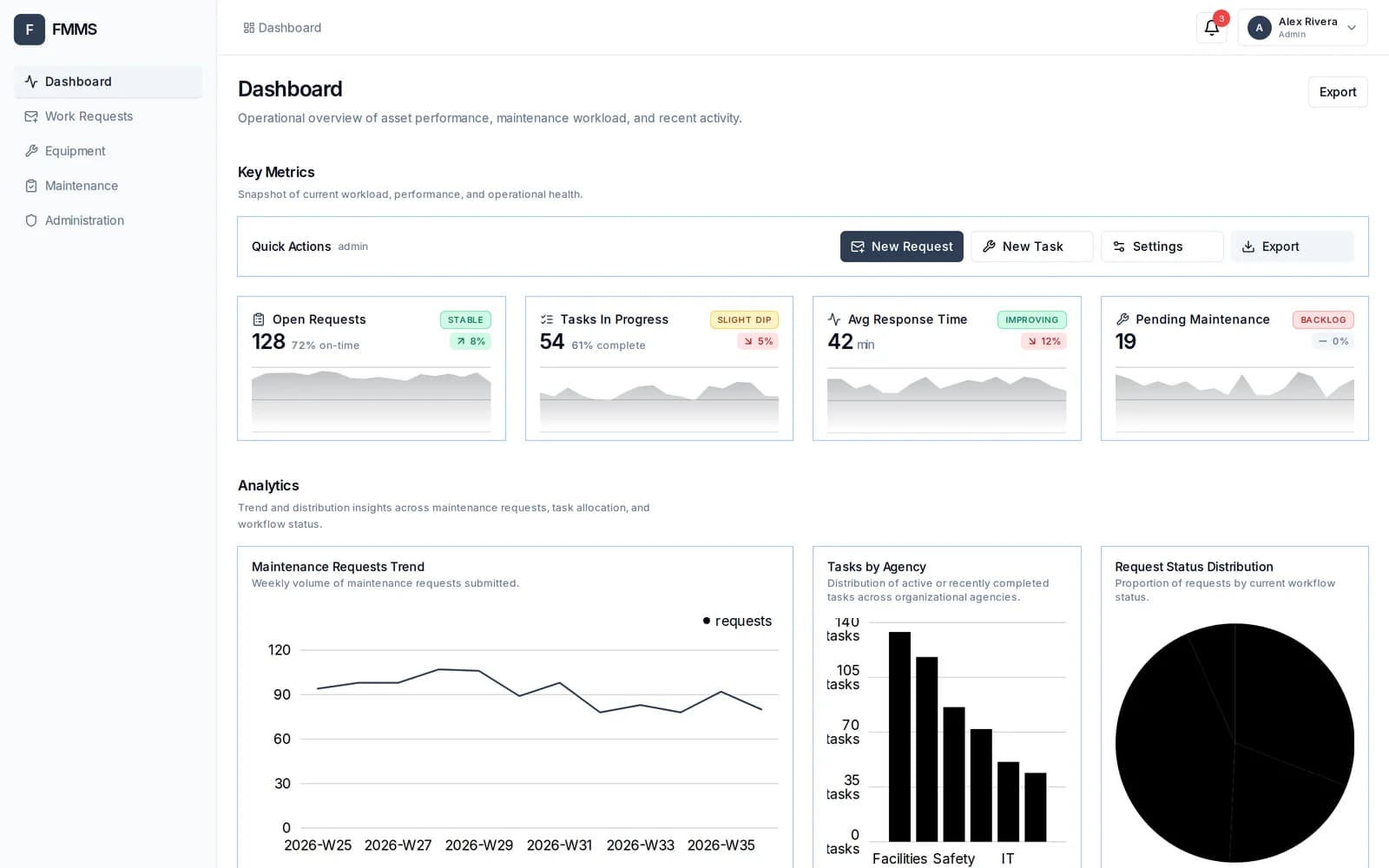
The dashboard tells you everything at a glance. Open requests, work in progress, average response times, and what needs attention, all in real time.
When something breaks, anyone on your team can report it in seconds. Choose the location, describe the issue, set the urgency, and attach a photo. That's it.
The request lands instantly in your triage queue. Review the details, check the photo, and assign it to the right technician with a single click.
Technicians get a simple job board instead of paperwork. Drag a card to start the job. Drag it again when the work is done. Everyone sees the status instantly.
Every asset you manage, from chillers to elevators, lives in one organized inventory, with categories, locations, and service details always up to date.
And here's the biggest win. FMMS plans preventive maintenance for you, weeks in advance. Every task comes with a clear, step-by-step checklist, so nothing is skipped, and nothing is missed.
One system, three tailored views. Requesters report problems. Technicians fix them. And you keep every building running smoothly.
Stop chasing repairs, and start preventing them. Book your live demo with Anito Systems Solution today.
The application
FMMS organizes the handoffs between the person reporting a problem, the administrator assigning the work, and the technician completing it. Equipment records and preventive-maintenance schedules sit alongside reactive work requests.
Business workflows
The screens and walkthrough below show the interface. The implementation details describe the corresponding application modules.
A requester records the location, problem type, urgency, description, and a photo. These details travel with the work request so the administrator can review the issue before assigning it.
Administrators review incoming requests and assign them to a technician. The technician’s board separates assigned, in-progress, and completed work, making ownership and the current status visible.
The equipment interface groups assets with categories, locations, and service information. Maintenance work can be reviewed in the context of the equipment the facility team manages.
Scheduled maintenance and reusable checklists support recurring work. The recorded walkthrough shows the scheduling interface alongside the reactive request workflow.
Inside the application
Choose a view, then open it at a larger size. These are actual project screenshots with demonstration data.
Technical structure
The application uses a Next.js interface with separate dashboard and API routes for work requests, assigned tasks, equipment, and maintenance operations. Typed forms and validation support request entry. The interface changes with the user’s role so requesters, technicians, and administrators work from the relevant screens.
A production engagement defines the organization’s data, roles, integrations, hosting, acceptance tests, and support coverage. The demonstration provides a concrete starting point for that discussion.
Explore the related service ↗Next step
Tell us what is broken, what you are trying to build, or what you have been quoted by somebody else. You get back a plain reply about what we would do, what it depends on, and whether you need us at all.
Replies come from a person. No automated sequence, no pressure, and an honest no when that is the right answer. Please leave passwords and customer data out of the form. Access gets arranged separately and safely.