You review working software
Milestones include an environment you can open and test. Acceptance criteria make the conversation specific: what works, what failed, and what remains.
See the delivery processWebsites & web applications
Design and build the website or the application behind it. That covers the interface, the frontend, the backend, the content management, the integrations, the testing, and getting it safely into production.
Beneath the interface
It helps people finish a task, protects the workflow behind it, and stays manageable after launch. Explore the qualities Anito designs, builds, and checks with you.
These are delivery commitments. Your proposal names the applicable features, checks, targets, and support coverage.
The Anito advantage
When comparing development companies, ask what you will be able to review before you accept the work. Anito makes that evidence part of delivery.
Milestones include an environment you can open and test. Acceptance criteria make the conversation specific: what works, what failed, and what remains.
See the delivery processDevelopers implement the change; QA checks the agreed workflows and failure cases. Nobody at Anito signs off on their own work. You review the recorded results before acceptance.
Meet the companyCode, configuration, architecture decisions, and operating instructions are part of handover. Ownership is a delivery requirement, with support responsibilities agreed in writing.
Review the handover commitmentsAnito vs. AI / vibe coding
AI can help build useful software. Skilled developers can use it responsibly, and an AI-built app can be production-ready. The question is what has been understood, tested, and handed over.
Here, “prompt-only delivery” means accepting generated software because it appears to work, without engineering review or recorded acceptance checks. This comparison concerns that practice, not everyone who uses AI.
Exploring an idea, trying a layout, or making a disposable demo to discuss with users. For a low-risk experiment, a full custom development engagement can be more than you need.
The work around the code: understanding the business rules, designing the system, checking it separately from the build, planning the release, and handing over what you need to operate it. That work takes time and budget.
A convincing screen can show the intended journey. That alone does not establish that permissions, real data, or exception cases work.
Your workflows and business rules become written acceptance criteria. You review working milestones against those criteria before accepting delivery.
Ask any builder, including Anito: Can my team complete the whole task with representative data, including the exceptions?
Generated code can include authentication and security checks. Their presence does not establish that each role is blocked from the records and actions it should not access.
Roles, data boundaries, and privileged actions are defined in the scope. QA checks the agreed permissions and records defects. Independent security audits are scoped separately.
Ask any builder, including Anito: Show me a test where one customer tries to access another customer's record.
AI can generate tests and review code. If the same unexamined assumptions drive the implementation and its tests, a passing result can miss the actual business requirement.
The person who implements a change does not approve it. QA checks agreed workflows, devices, and failure cases; your team reviews whether the result supports the business.
Ask any builder, including Anito: Who checked this besides the builder, and what did they actually test?
A successful deployment shows that a version went live. It does not establish what happens after a failed integration, an incomplete update, or a release that needs reversing.
Failure behavior and release responsibilities are documented. Handover includes deployment and rollback instructions. Monitoring, backups, recovery checks, and support coverage are agreed in writing where included.
Ask any builder, including Anito: What is the recovery plan, and who is responsible for carrying it out?
AI-built apps can use exportable code and accounts you own. Verify that access and documentation are actually supplied; neither ownership nor lock-in follows from the tool's label.
You own the source repository. Architecture decisions, configuration instructions, the account inventory, and known limitations form part of handover so another team can take over.
Ask any builder, including Anito: Could another developer run and change this with the code, access, and instructions I receive?
Anito does not promise bug-free software, automatic compliance, or that every AI-built app needs a rebuild. These are delivery commitments, not a measured claim that Anito outperforms every alternative. A provider who supplies the same engineering discipline and evidence should be evaluated on that evidence.
Already have an AI-built app? Start with an assessment of what works, what is missing, and what can be kept.
Explore an assessment of your existing appWhy review still matters: GitHub's own guidance says generated code should be reviewed and tested, even when an agent includes automated security checks. Read GitHub's responsible-use guidance
Sound familiar
You get a reply from a person, with an honest read on whether this is the right service for the problem you described.
Scope of work
Your statement of work names which of these are in your project. Here is what each one involves before anybody signs anything.
Company sites, service catalogs, editorial sites, and campaign pages with an interface designed for you rather than bought from a theme store. Deliverables can include the content model, reusable page templates, CMS setup, redirects so your existing search rankings survive, metadata, and a handover your editors can actually use.
Software with accounts, roles, forms, approvals, dashboards, and reporting. Each workflow gets named in the scope along with its business rules and the data it creates or changes, so nobody discovers in week nine that the approval step was never agreed.
Build the interface and the services behind it, or connect to a backend you already have. The technical plan defines how the systems talk, what gets validated, what happens on error, and exactly where your responsibility ends and a third party’s begins.
Page structure and user journeys first, then screens for desktop and mobile. Navigation, forms, loading states, empty states, and error messages get decided before they become code, because those are the screens people actually live in.
How it runs
We start with the people who use it and what they are trying to get done, not with a technology choice. The pages or workflows get mapped, the interface gets designed, then the agreed scope gets built in stages you can open and click through. A CMS goes in when your content workflow actually needs one, not by default.
The proposal names the page templates, features, integrations, who supplies content, and which devices are supported. Hosting and ongoing maintenance are agreed separately so you are never surprised by either.
See how a project runs, stage by stageRelated work
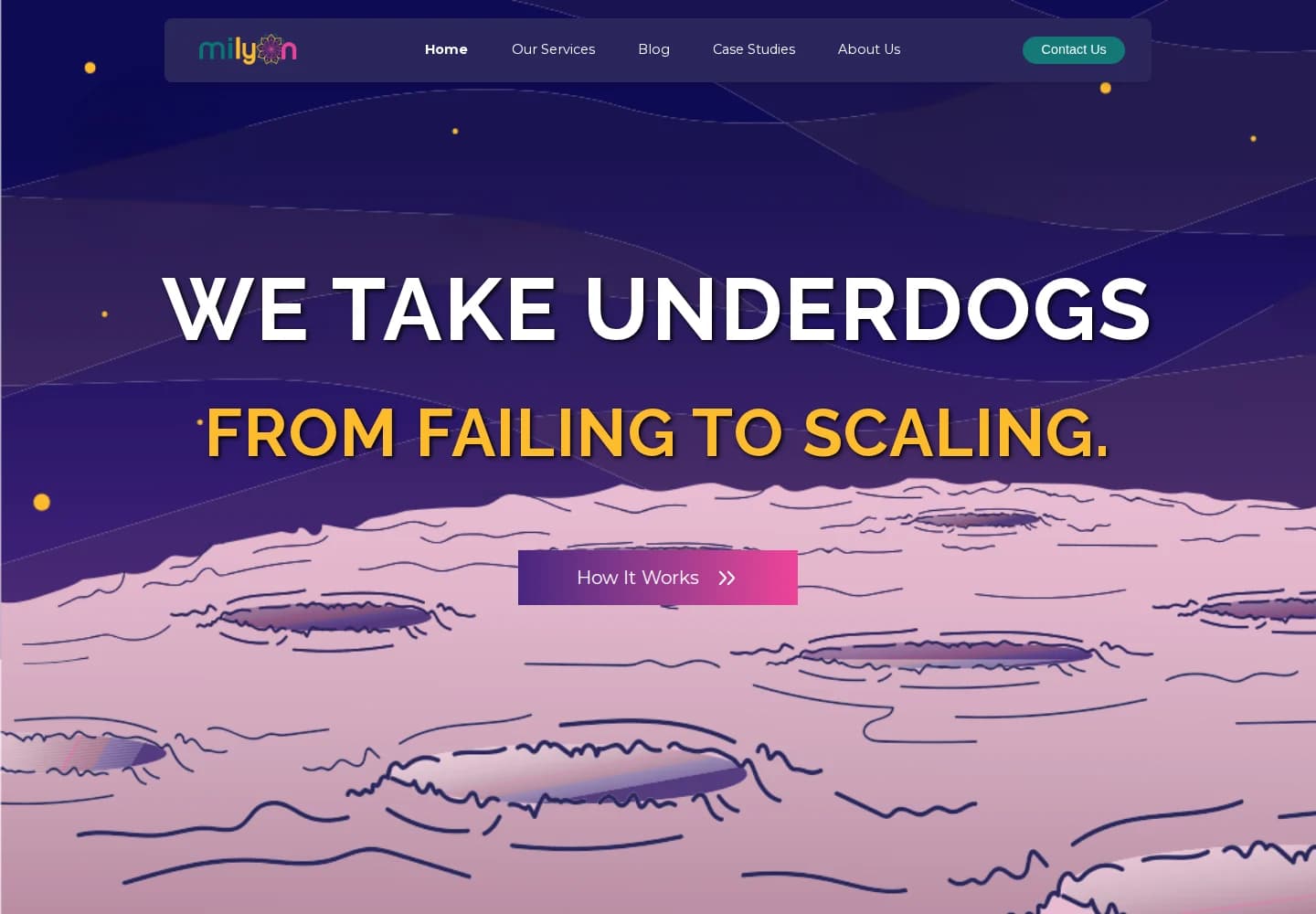 Live website, designed and built by Anito
Anito designed Milyon Digital’s website and built it, connected the Next.js frontend to WordPress for publishing, and wrote a custom plugin for structured service and team content.
Before it is accepted
QA runs these before anything is called done. The person who implemented a change is not the person who approves it.
The money question
How many page templates and how many workflows matters far more than how many URLs. We also look at permissions, moving old content across, integrations, reporting, and the condition of anything that already exists. The proposal separates design, build, testing, and launch so you can see where the money goes.
See how we build a quoteStraight answers
The proposal records cost, milestones, what you are responsible for, and how the work gets accepted. These answer the rest.
Yes. Customer portals, internal tools, dashboards, and full business applications are all in scope. Celestra and FMMS in our work section are both application projects rather than websites.
No. Anito is a custom development company. A decoupled WordPress CMS is one good option when your team needs to publish content, and it is what we built for Milyon Digital. The architecture follows what the project needs.
Yes. We look at what exists first and tell you honestly whether extending it, repairing it, or replacing it is the better use of your money. Sometimes the answer is that the current site is fine and the problem is elsewhere.
Next step
Tell us what is broken, what you are trying to build, or what you have been quoted by somebody else. You get back a plain reply about what we would do, what it depends on, and whether you need us at all.
Replies come from a person. No automated sequence, no pressure, and an honest no when that is the right answer. Please leave passwords and customer data out of the form. Access gets arranged separately and safely.