
What a green checkmark actually tells you
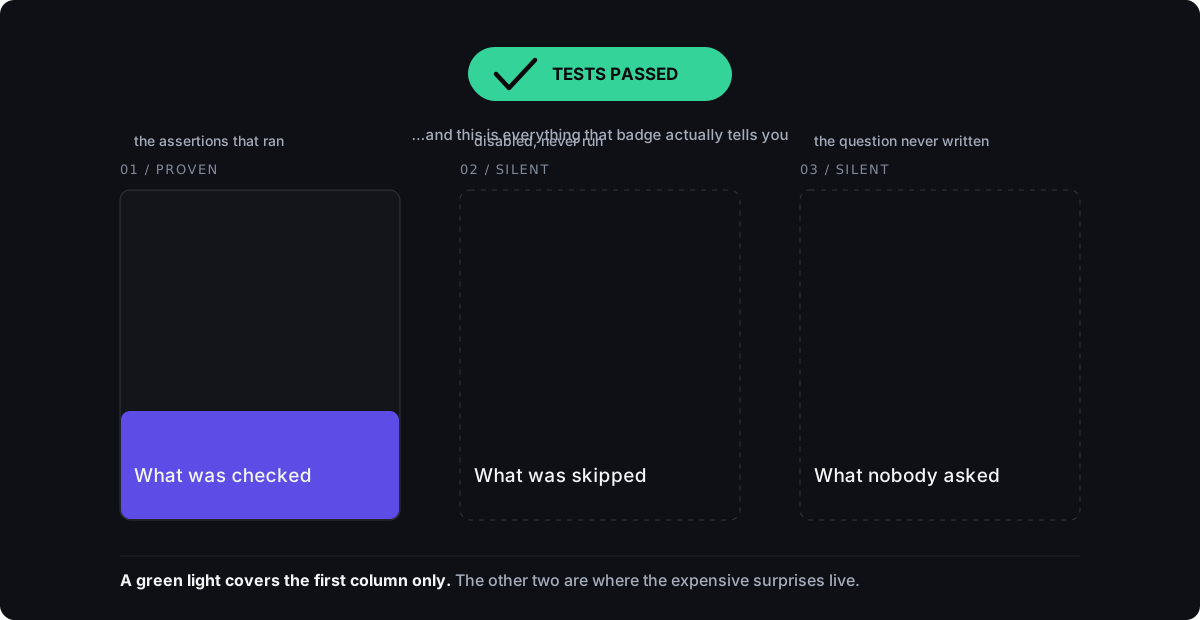
A passing test tells you one thing: the assertions written into that test ran against a specific version of the code, and none of them failed. That's the whole claim. Here's the deal: it does not tell you the assertions were the right ones to write. It does not tell you they covered the situation a real customer will actually hit. It does not tell you the code will behave the same way tomorrow, after the next change. And it does not tell you that anyone who understands your business looked at what was checked and agreed it was enough. "Tests pass" is a report on what somebody chose to check, not a guarantee about everything they didn't. Read it the way you'd read a building inspection: useful, specific, and only as good as the checklist behind it. You already know how to read one of those.
I spent four years running platform support at Pantheon watching this exact thing happen, so you can skip learning it on your own launch day. WordPress and Drupal sites going through pre-launch load testing before a big traffic event, a product launch, a marketing push, an event with a hard start time. Sites would "pass" the load test because the test hit the homepage and confirmed a normal response under load. Nobody had told it to check whether checkout held up. Nobody had told it to check whether the database connection survived when hundreds of people acted at the same moment. The test was real. It ran. It passed. It also never asked the one question that mattered on launch day.
A test that runs is not a test that checks anything
Some tests execute real code without ever confirming the code did the right thing. They call a function and check only that it didn't throw an error. They render a screen and confirm an element appeared, without simulating the click, the form submission, or the payment a real user would actually make. These aren't fake tests, and nobody is being deceived. The code genuinely runs. The report is genuinely accurate. The gap is narrower than that, and easier to miss from any seat: the test never asserted the outcome you actually care about. It checked that something happened. It did not check that the right thing happened.
- A test that calls a function and only checks it didn't crash, with no check on what it actually returned.
- A test that renders a screen and confirms an element exists, without simulating the click, tap, or submit a real user would perform.
- A test with an assertion that's true no matter what the code underneath it does.
- A test that checks the easy, expected input and never tries the one that costs money when it fails: the empty field, the expired card, the double submission.
- A test that replaces the exact piece of the system most likely to break in production with a stand-in, so the real failure never gets a chance to show up.
- A test written after the fact to match whatever the code already does, rather than what it was supposed to do. It will always pass. It proves nothing beyond the code being consistent with itself.
A skipped test is not a passing test, and one that only passed on retry is not either
Most testing tools let a developer mark a test as skipped, pending, or disabled, usually meant as a short-term note to come back to later. In practice, skipped tests pile up quietly, especially under deadline pressure. Most summary dashboards report a line like "148 passed" without mentioning that a dozen more never ran at all. A skipped test is not a failure. It is also not a pass. It is a question nobody answered, filed under a label that reads like good news, which is why the count of skipped tests is a fair thing to ask for, and an easy one to answer.
A flaky test passes sometimes and fails other times with no code change in between, usually because it depends on timing, network conditions, or state left over from a previous test. Some teams handle this by configuring the system to retry a failed test automatically and report success if any attempt passes. That produces a green result on the dashboard. It does not produce evidence. If a test failed on the first attempt and passed on the third, with nothing changed in between, the honest reading is that nobody knows why it failed. The retry didn't fix the problem. It only kept the report from showing it.
Coverage counts which lines ran, not whether the outcome was correct
Code coverage is a percentage measuring how many lines of code got executed while the tests ran. It's genuinely useful for finding code nobody tests at all. It's a poor stand-in for correctness, a line can be executed by a test that makes no real assertion about what that line was supposed to do. A high coverage number is reachable with tests that check almost nothing meaningful, as long as every line gets touched once. Coverage answers "was this code run during testing?" It does not answer "does this code do what it's supposed to do?" It gets presented as if it answers the second question far more often than it should, so knowing the difference puts you ahead of the number you're being shown.
How to read a coverage number a developer gives you
Ask what the tool is actually measuring on your codebase, line coverage or branch coverage. They're different, and branch coverage is the stronger signal. Then ask for one or two of the tests behind the number and have the developer walk you through what each one checks, in plain language. You do not need to read code to do this. You need to listen for whether the answer describes a real outcome, or only describes what ran.
Who approved the work matters as much as the result
If the person who wrote the code is also the only person who decided the tests were sufficient and the work was done, that is not independent verification. It's a developer telling you they're satisfied with their own work. That may well be true. It still isn't evidence. Independent verification means someone other than the author, another developer, a defined review step, a separate system, looked at the same results and reached the same conclusion, separately. Self-approval is the most common gap I've found behind an "it's tested" claim, and it is genuinely hard to see from where you sit: from the outside, a self-approved green checkmark looks identical to an independently verified one. That's not a failure of attention. The two are built to look the same. There's a second gap that hides the same way, a passing test tied to the wrong version of the code, one that ran last week against a build that has since changed. Evidence that holds up has a receipt attached to it: this test, on this exact version of the code, run at this time, with this result. Anything looser is a story, not a record, and now you know which one you're holding.
The phrase that should prompt a follow-up question
"Don't worry, it's tested" is not information. It's reassurance with no evidence attached. A developer who can back the claim up will tell you plainly what was tested, what wasn't, who looked at the results besides them, and whether the passing result you're being shown is tied to the exact code you're about to pay for. If the answer turns vague, or the tone shifts to asking you to trust it, slow down instead of speeding up.
The questions to put to your developer
These six work whether you're hiring someone new or checking in on work already underway. None of them require you to understand code. They put the work where it belongs, on the developer, to explain their own evidence in plain language, which any developer confident in their work can do without hesitation.
- 1Ask what percentage of the important user actions are covered by a test that checks a real outcome, not only that nothing crashed.
- 2Ask how many tests are currently skipped or disabled, and why.
- 3Ask if any tests are flaky, and whether a retry that eventually passes still counts as a pass in the report you're shown.
- 4Ask who reviews the test results besides the person who wrote the code.
- 5Ask whether the passing result you're looking at is tied to the exact commit or version being deployed to your live site.
- 6Ask to see one test explained in plain language: what it checks, and why that specific check matters to your business.
Why this question is getting more urgent, not less
AI tools can now write code, and write tests for that code, faster than a person ever could. That's not automatically a problem, more testing is generally good. What it changes is who's actually deciding what counts as sufficient evidence. If an AI writes the code, and the same AI (or a developer rubber-stamping without a real look) writes and approves the tests, the self-approval problem hasn't been solved. You've automated it. Speed is not the risk. Ungoverned speed is. The standard doesn't change depending on who or what wrote the code, which means the six questions above hold up exactly as well against an AI-built system: an assertion is not evidence until someone independent of its author has checked it.
Where Ranex fits into this, and its honest status
Here's the deal: this is the exact problem I built Ranex to address, a deterministic governance kernel, meaning a checker that gives the same answer every time, which ties every verdict to a specific piece of evidence, a specific subject, and a specific approver, and refuses to let anything approve itself. Gates fail closed by default. That means if the evidence is missing or unclear, the answer is no, never "good enough for now." Every verdict gets recorded in a hash-chained journal, so the record can't be quietly edited after the fact. It applies the same discipline to AI-written code that a serious engineering team should already apply to human-written code. I built it because I kept seeing the same failure mode repeat as more code, mine included, got written with AI assistance: a confident green result, with nobody able to say exactly what it had verified. I'll say plainly: Ranex is pre-release. It's not something I'm asking you to buy, and you don't need it to hold anyone to this standard, the six questions above do that on their own. It's in this guide for one reason: you're entitled to ask whether I hold my own work to what I'm asking you to expect from your developer.
How this shows up in Anito's own work
Every engagement starts with a diagnosis before a quote, so you see the actual state of a system before any money changes hands. Code, credentials, and hosting sit in your accounts from day one, not at handoff. Any automation Anito builds keeps a human approval gate on anything that touches live data or a live customer, for the same reason as this whole guide: a result nobody checked is not the same thing as a result that is correct. That's a description of how the work is structured, not a promise about a result, there's no finished client engagement yet to point to as proof. Which means the right way to read it is with the same six questions you'd put to anyone else. Hold this to that standard too.